About
Radioactive is a 2D top-down multiplayer game. The original idea was to create a 2D top-down version of Radiation using Unity. However, considering the large scale of Radiation, I decided to narrow down the scope of the game. The concept is to develop a simple team deathmatch game mode with two teams competing for scores within a time limit. The team with the highest score when the timer expires will be declared the winner.
I initiated this project with the intention of exploring the implementation of a Netty multiplayer server in Java for a Unity game.
Main menu
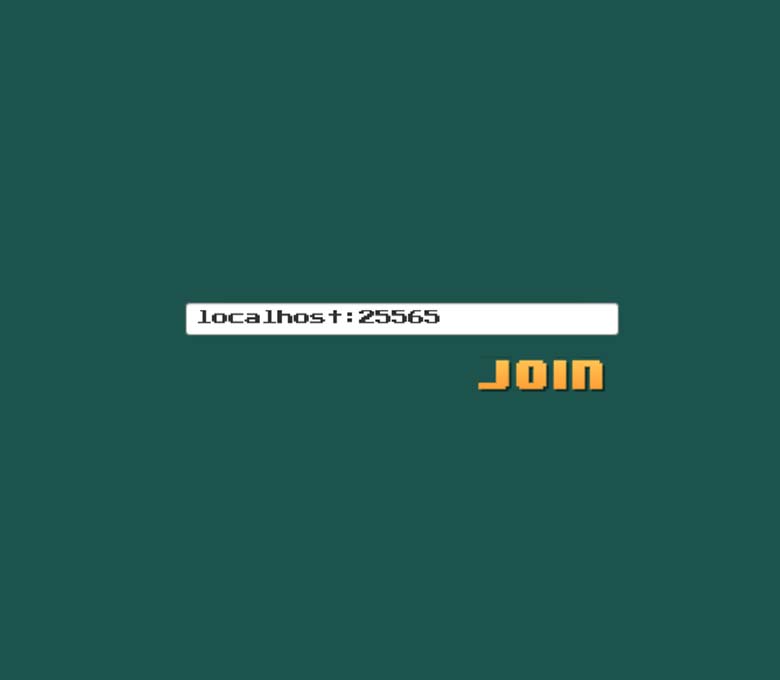
The main menu features a single button labeled "Multiplayer." When the player clicks on this button, they will be directed to a new screen where they can enter the IP address of a server. Upon pressing the "Join" button, the player will enter the multiplayer session hosted on the server.
Gameplay
The gameplay is straightforward. You pick up the weapon that is available, select it in your inventory, and shoot at the opposing team.
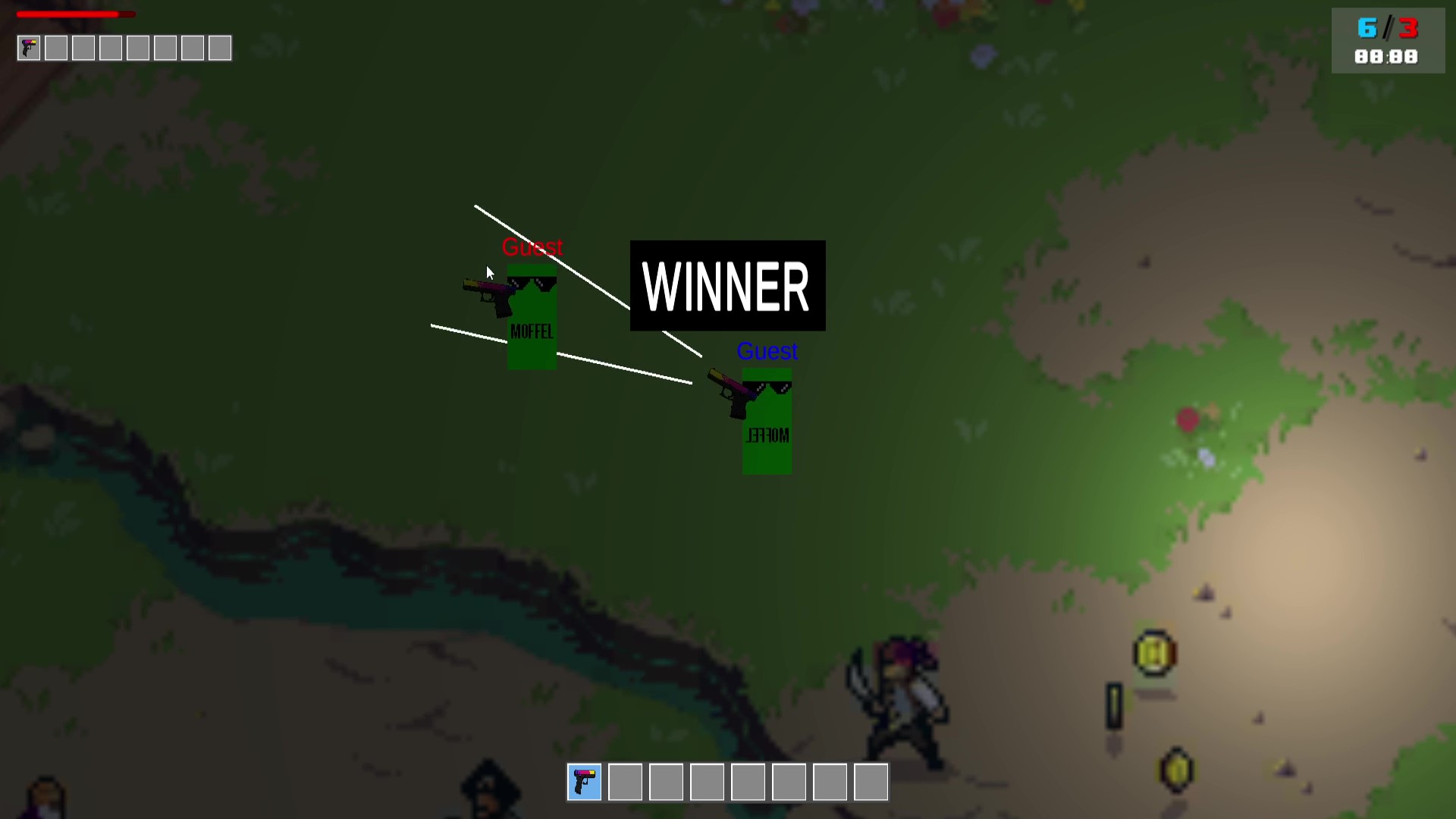
Once the time runs out, all players in the winning team will receive the "WINNER" message. Afterward, all players will be redirected back to the main menu.
Aiming
For aiming I drew inspiration from Fortnite. The challenge was to create a 2D version of the Fortnite crosshair. The two lines (in the video) represent the crosshair, and the bullet will appear between these lines. When you press the aim button, the two lines will converge, allowing for accurate shooting. If you release the aim button, the lines will move further apart, and the bullet will be randomly shot between them.
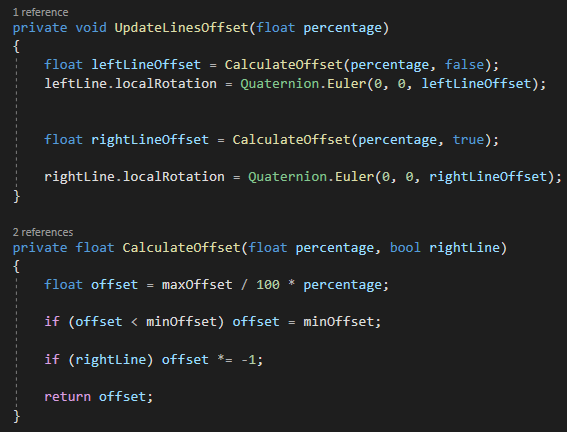
The provided image demonstrates the operation of the code. The UpdateLinesOffset function is executed within an update loop, and the percentage parameter of this function undergoes changes when the user presses or releases the aim button. When the user aims, the percentage gradually approaches zero, resulting in a closer alignment of the lines. Conversely, when the aim button is released, the percentage approaches 100, causing the lines to move further apart.
The lines' rotation is adjusted by modifying their local rotation, causing them to rotate accordingly. The offset, representing the distance between the lines, is determined based on the aforementioned percentage.
Singleplayer
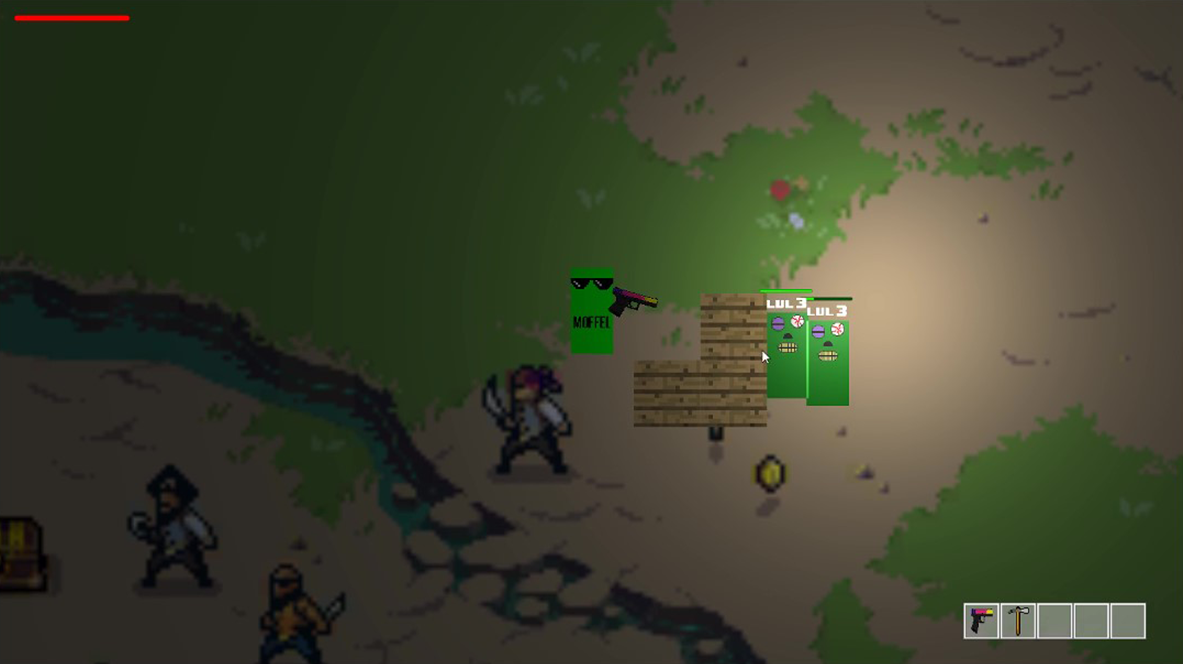
A singleplayer mode was implemented, allowing players to build (wood blocks) and engage in combat against zombies. However, further development on this mode was not pursued.
Server
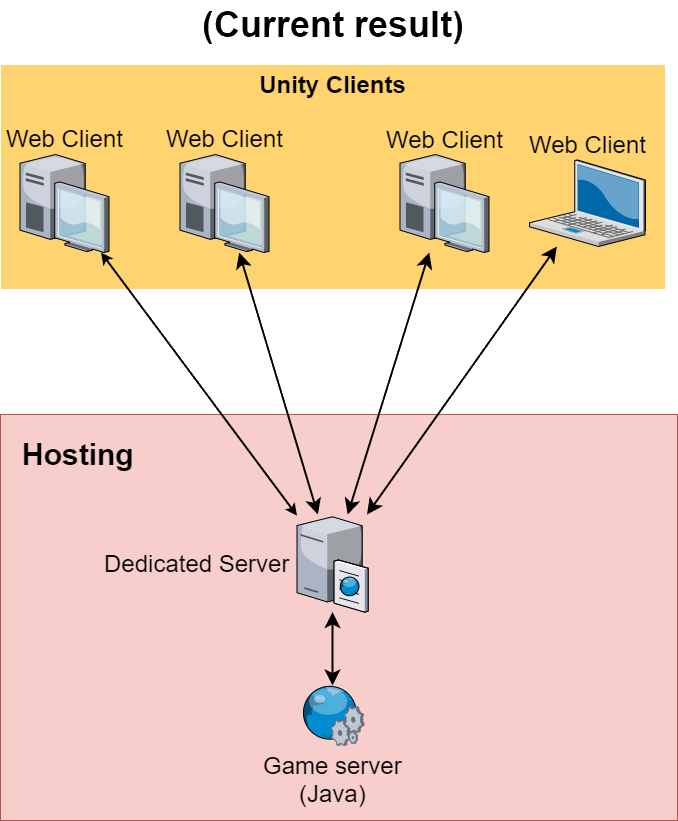
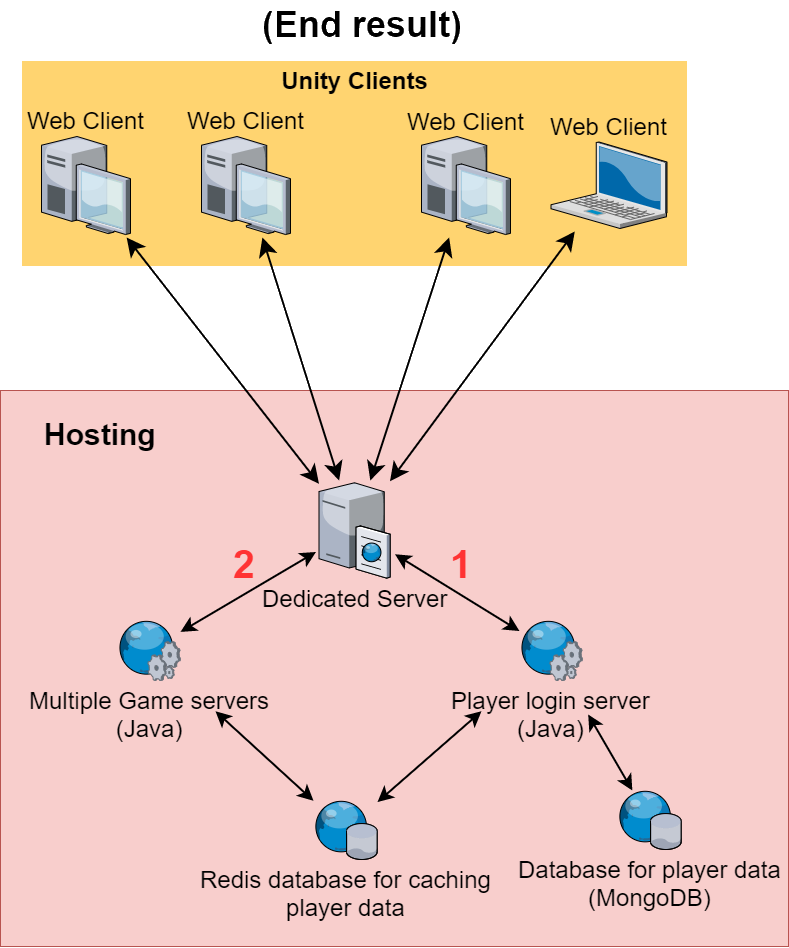
The current version of the server operates in a simple manner. It establishes a connection between the Unity web client and a game server using WebSockets. These WebSockets contain a byte array that is converted into a 'packet' object. This object carries data. The server or the client can perform certain tasks with this data and update it to the server or other clients.
For the Java server, I utilize the Netty library. This library enables easy connection with any client and facilitates the transmission of data through packets over the established connection.
On the client side, I employ the unity-websocket-webgl libraries for sending and receiving WebSockets. This library provides a convenient way to handle WebSockets in C# / Unity.
Module system
I divide all the server's required logic into "Modules." These Modules inherit from the Module class, where most of the magic happens.
The Module class serves as an abstract class and includes specific functions like Start and End. These functions are triggered when the server/module is turned on or off. You can build your system based on these two functions.
Here's an example of a Module class:
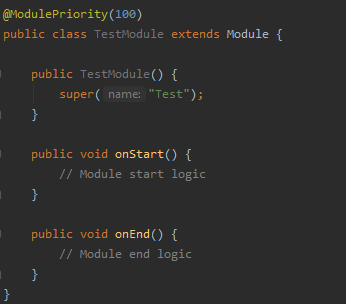
All modules are automatically registered using reflection. It searches for all classes that have the Module class as their parent. Additionally, it considers the ModulePriority annotation, which assigns a priority value to modules. This allows for specific modules, such as the database module, to be activated first before other modules that depend on data from the database.
Each module has its own logger. Furthermore, the module registers all event listeners and command classes (classes where you can create commands for your server) that fall under its package. This registration process also utilizes reflection.
Packets
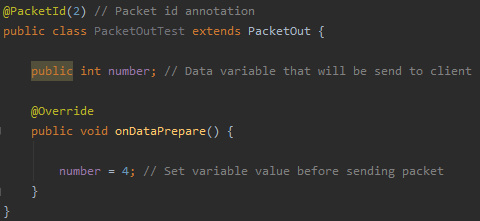
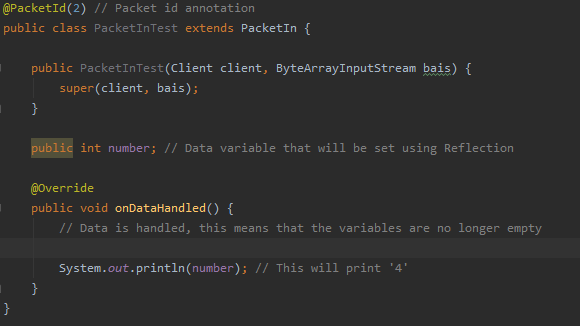
The values of the variables in the packet object are automatically populated using reflection. Back then, it was an interesting experiment to utilize reflection for this purpose. However, personally, I wouldn't choose to do it that way anymore, considering that it is widely known that reflection is slower compared to direct access.
Listeners
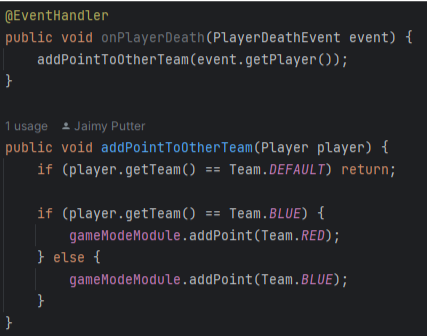
Taking inspiration from Bukkit, the server utilizes event listeners to detect and respond to (in-game) events. The provided image above showcases an example of such an event listener. An event listener receives an event object as a parameter, which contains information about the event.
In this particular example, the listener is listening for the PlayerDeathEvent. Within the listener for this event, a function is called to add a point to the opposing team. This approach ensures that the scores of both teams are updated.
Tasks
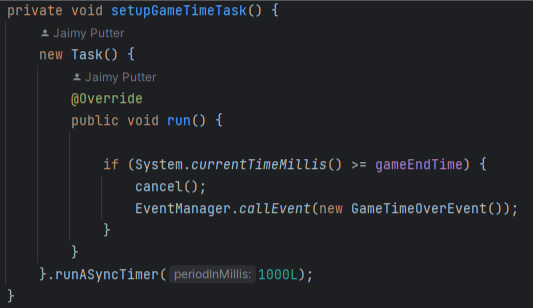
Drawing inspiration from Bukkit (once again), the server employs tasks to execute (repetitive) logic on a separate thread. This allows the server to concurrently run (recurring) logic alongside the main game thread.
In the provided example, you can observe the implementation of a repeating task. This task periodically checks if the game time has reached its end every second. If the time is up, the GameTimeOverEvent is triggered to handle the game over logic.